The AI Browser That Browses For You
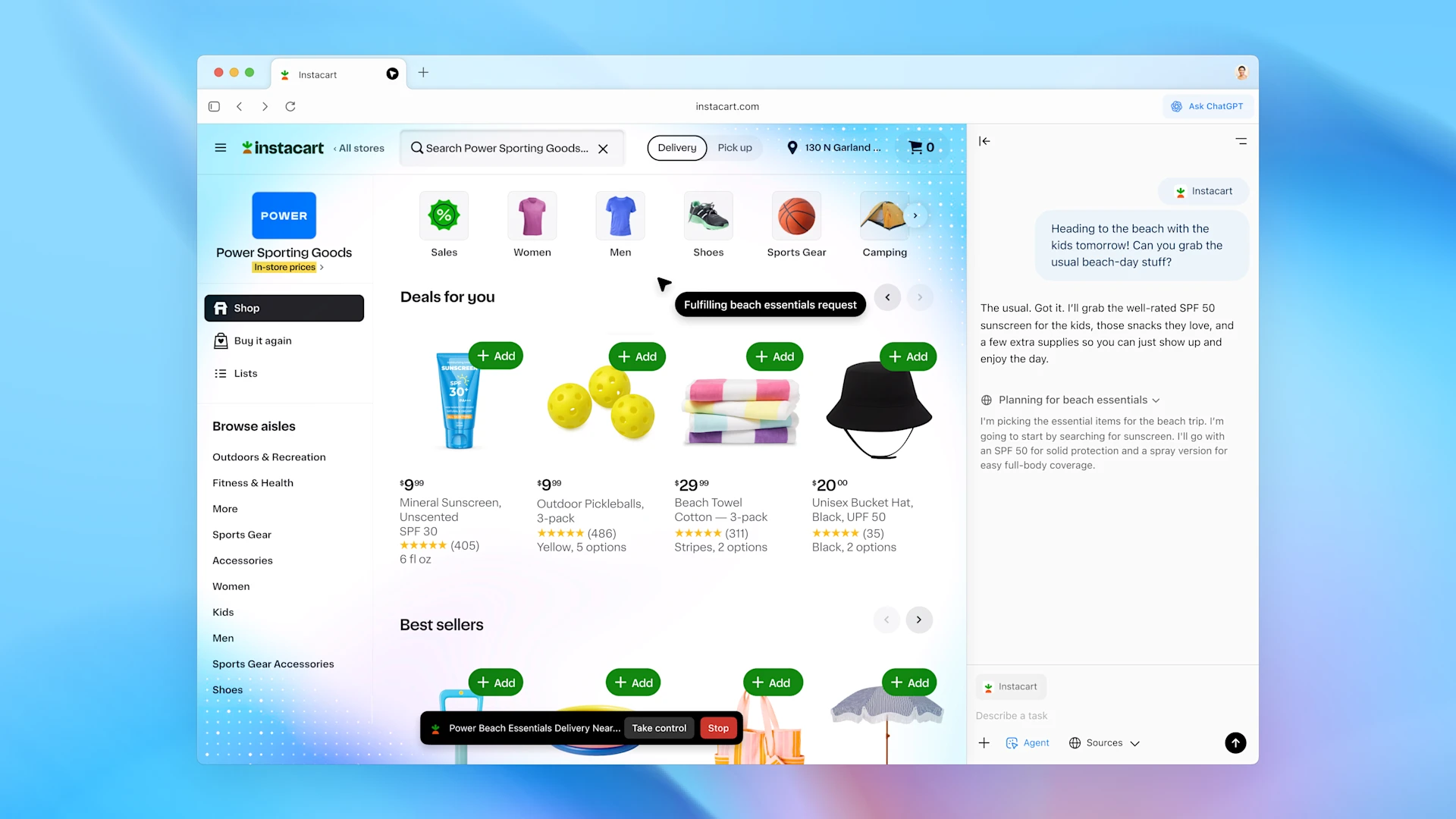
For decades, the web browser has been a window—a passive tool we command with clicks and keystrokes. What if it became an active partner? On October 21, 2025, OpenAI launched ChatGPT Atlas, a new Chromium-based browser that aims to do just that, redefining our relationship with the internet.
What is an “AI Browser,” Anyway?
An AI browser isn’t just a browser with a chatbot bolted on. It’s a fundamental shift where the AI is the core of the interface. Think of it as moving from a car you drive manually to one with a full self-driving assistant. You still have control, but the car can now navigate, suggest routes, and even run errands for you.
Atlas embodies this by embedding ChatGPT into every part of the experience:
- The New Tab is a Conversation: Your starting point isn’t a grid of bookmarks, but a ChatGPT prompt.
- A Sidebar on Every Page: Need to understand a complex article or extract data? The “Ask ChatGPT” sidebar is always there, aware of the page you’re on.
- In-Place Editing: ChatGPT can help you write and edit text directly within form fields and text boxes.
What’s New Today: Atlas in Action
Initially released exclusively for macOS, Atlas introduces several groundbreaking features:
- Browser Memories (Optional): Atlas can, with your permission, create privacy-filtered summaries of the pages you visit. This allows you to ask things like, “Find all the job postings I looked at last week and summarize the trends.” It’s a personalized, searchable memory of your web activity.
- Preview of “Agent Mode”: This is the biggest leap. You can now ask ChatGPT to perform tasks in your browser. For example, you can tell it to “research the best noise-cancelling headphones, compare reviews, and add the top two to my Amazon cart.” The agent will open tabs, click links, and complete multi-step processes, pausing for your approval at key moments.
- Built with Safety Rails: OpenAI has set clear boundaries for the agent. It cannot download files, install extensions, access your file system, or read saved passwords. Pages it visits in agent mode aren’t saved to your history, giving you control and privacy.
The Future is Agentic
ChatGPT Atlas is more than a new product; it’s a signal of where the web is headed. It envisions a future where we delegate routine tasks—research, booking, comparison shopping—to AI agents, freeing us up for more complex and creative work.
While the initial macOS release is just the first step, with Windows and mobile versions “coming soon,” Atlas lays the foundation. It’s a early, powerful glimpse into a world where your browser isn’t just a tool you use, but an assistant that works alongside you.
Download: Available now for macOS users at chatgpt.com/atlas.